HeartSync
The audio plugin that listens to your heartbeat.
Features
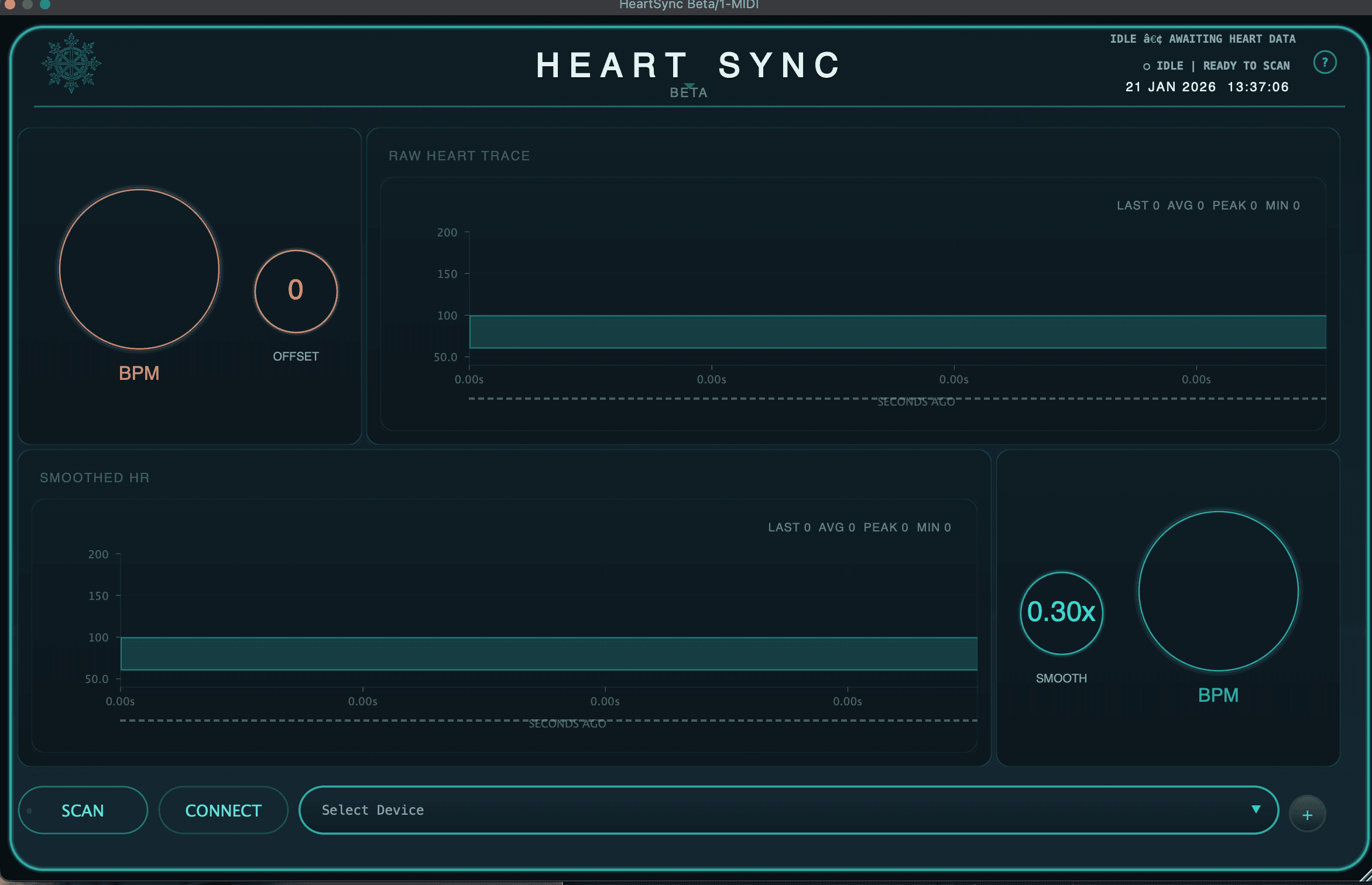
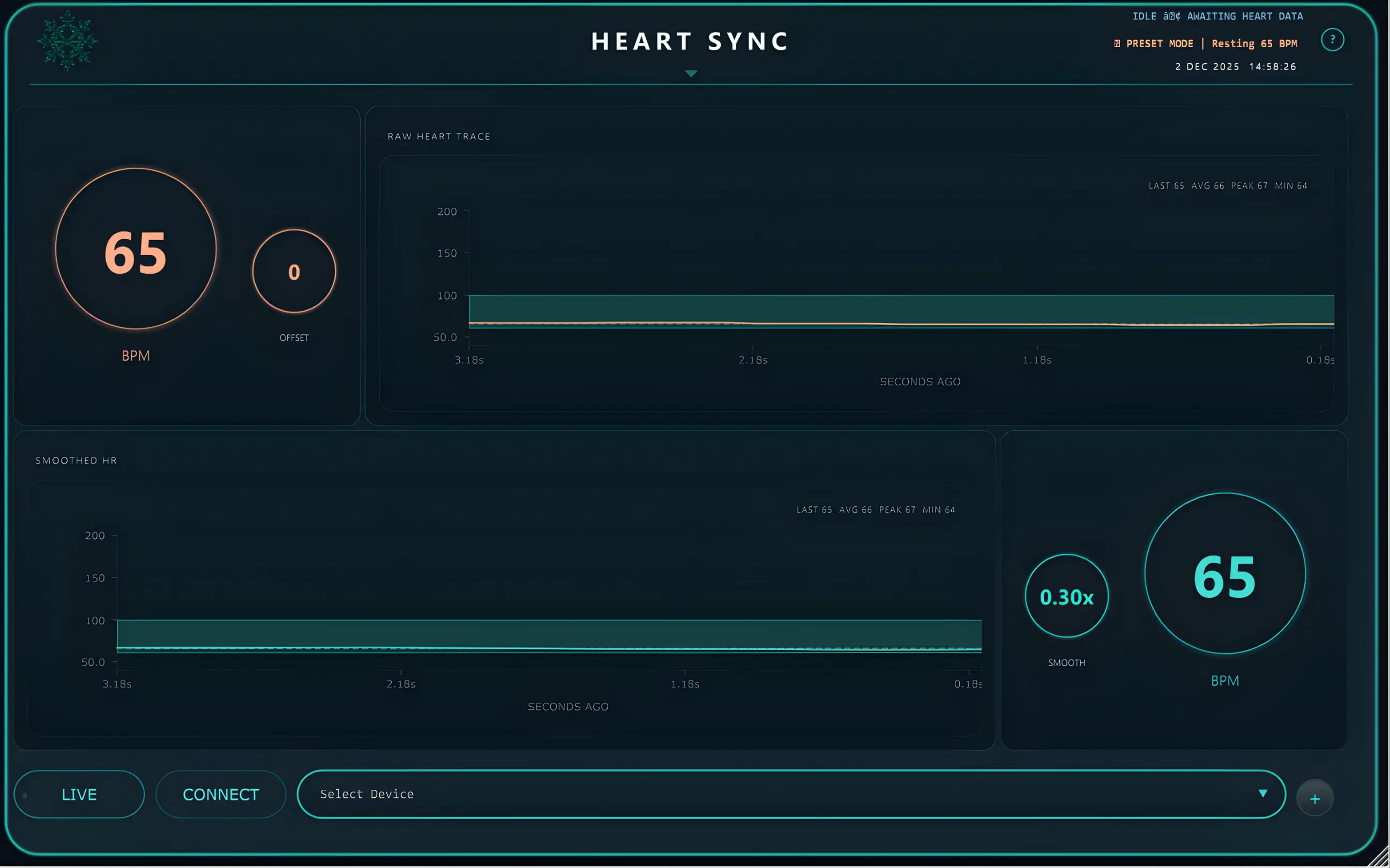
Heart rate to BPM in real time. Control data only — no audio-thread processing.
HeartSync maps pulse data to BPM, smooths short-term fluctuations into stable tempo motion, and stores recallable states for rest, flow, and cardio sessions. Link and OSC routing stay available in parallel, while processing remains control-only with no audio-thread signal processing.
Quick Start
Install through the Hub, pair your sensor, point your DAW at HeartSync’s tempo, and confirm the BPM follows.
Insert HeartSync on a track, scan and pair your device, choose the active monitor, and enable Tempo Sync. The host tempo then follows your heart rate in real time with smoothing applied.
Ableton Live supports Link and OSC workflows, Logic Pro uses Ableton Link clocking, and Reaper uses an OSC control surface. Hosts that can slave to an external MIDI clock can instead follow HeartSync’s clock source; the setup guide has the per-DAW steps and the current device name.
Compatibility
Bluetooth LE heart-rate monitors. DAWs that can follow an external tempo source.
HeartSync works with Bluetooth LE heart-rate monitors (or your Apple Watch via the free HeartSync Mobile iOS app), and drives tempo in hosts that can follow OSC, Ableton Link, or an external MIDI clock — Ableton Live, Logic Pro, Reaper, FL Studio and Bitwig among them.

HeartSync MobileFree▼
Use the free HeartSync Mobile app (iPhone + Apple Watch) to stream your heart rate to the plugin — no extra hardware needed.
Connectivity
Reads a Bluetooth LE Heart Rate Service source and sends the BPM to your DAW.
Apple Watch
Start a workout on Apple Watch and your live heart rate streams to HeartSync (HeartSync Mobile runs on iPhone and Apple Watch).
Privacy
No Conscious Audio account needed. See the App Store listing for how HeartSync Mobile handles data.
See What People Are Saying
Bedroom Producers Blog“…it’s been ages since I’ve seen a plugin concept that feels really innovative.”
Read More
Specifications
Version — Public Beta
macOS — HeartSync 2.3.1
Windows — HeartSync 2.1.0
Format
VST3 — macOS & Windows
Audio Unit — macOS only
System
macOS 10.15 or later (Intel) · 11 or later (Apple Silicon) — Universal
Windows 10 / 11 (x64)
macOS minimums are the declared build targets of the shipped Hub 2.3.3 and HeartSync Beta 2.3.1 binaries
Processing
Control data only — no audio-thread signal processing
Runs continuously while a sensor is connected
Connectivity
Bluetooth LE (Heart Rate Service)
Auto-discovery & reconnection
DAW Integration
Ableton Live OSC primary · Link secondary
Logic Pro Link primary
Reaper OSC primary
MIDI clock (24 PPQN) for DAWs that can slave to an external clock
Verified Devices
Polar H10 / Verity Sense
Garmin HRM-Pro / HRM-Dual
Wahoo TICKR / TICKR X
Other monitors using the Bluetooth LE Heart Rate Service should also work
Changelog
2.3.1Fixes a rare crash on DAW close — no behaviour changes; 2.3.0 sessions load identically
2.3.0Heart rate graphs survive editor close / reopen
Ableton Link re-assertion rate-limited — eliminates tempo oscillation
Memory footprint under 10 MB in typical sessions
Restored graphs display correct X-axis duration
34 bug fixes — mutex stall, BLE reconnect race, parameter thread safety, AU validation
2.2.0AU plugin support for Logic Pro
Audio processing fully lock-free — lower CPU
Bridge helper ships as Universal Binary (Intel & Apple Silicon)
UI toggle responsiveness fixed
MIDI Clock timing edge cases resolved
2.1.0Reduced CPU overhead during live streaming
Smarter rendering — static UI cached, dynamic content redrawn only when needed
Fixed plugin not reconnecting after remove and re-add
Eliminated background polling inefficiencies
Smoother real-time heart rate graph
2.0.0Initial beta release with core tempo sync functionality